Analyzed Hands

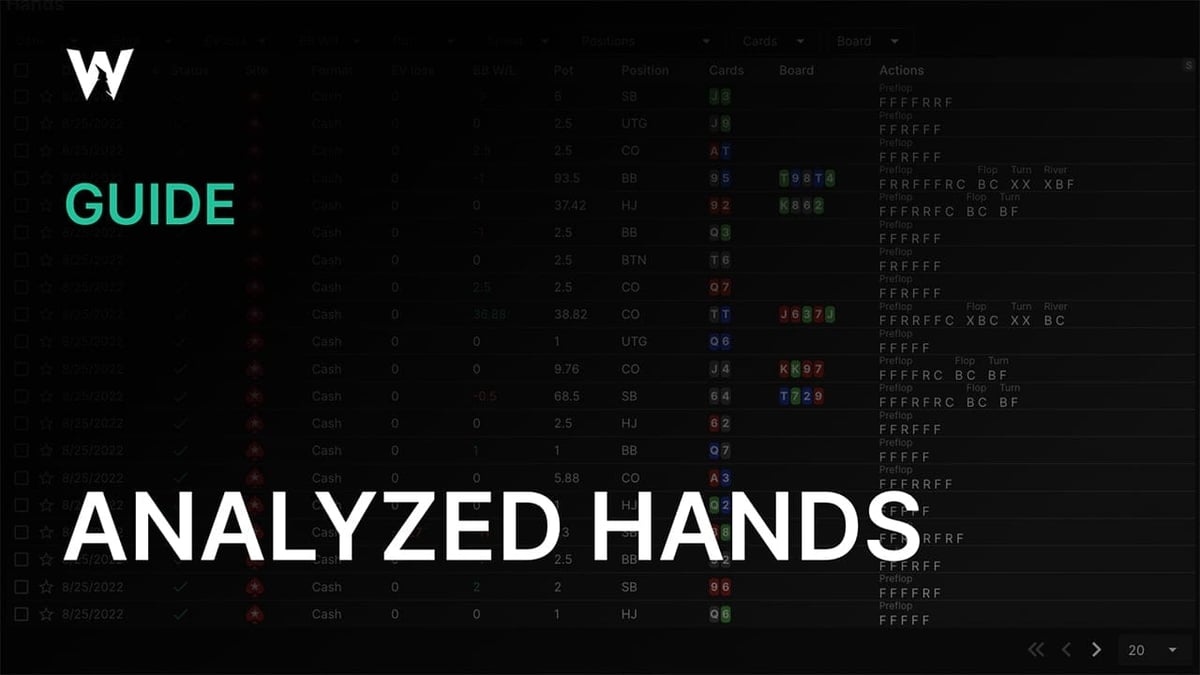
Overview
GTO Wizard makes it easy to review your play with our Hand History Analyzer. The process is simple:
- Upload your session
- Your hands get compared to the optimal solution
- Review your hands to find your biggest blunders and plug your leaksThis guide will teach you everything about how to use our automatic hand Analyzer.
[vc_accordion active_tab=”0″ collapsible=”yes” title_size=”h3″ style=”2″][vc_accordion_tab title=”Table of contents”]
- Navigation
- Hand History Table
- Statuses
- Filters
- Columns
- Hand history toolbar
- Scroll through hands
- Replay a hand
- Large/Compact mode
- Jump to Solution browser
- Take a picture
- Bet Sizing Discrepancies
- EV Losses
- Hand History Replayer
- Replayer hotkeys
- How do I get the most out of studying with this tool? [/vc_accordion_tab][/vc_accordion]
Navigation
Select the Hands page using the “Analyze” dropdown menu at the top of the page. This will take you to your analyzed hands. [vc_single_image image=”1253″ img_size=”full” alignment=”center” style=”vc_box_rounded”]Alternatively, you can access your hands by selecting a particular session from the Uploads page. Select the view icon

on the right-hand side to jump to your analyzed hands. This will show you a hand history report containing hands only from that session. [vc_single_image image=”1261″ img_size=”full” alignment=”center” style=”vc_box_rounded” onclick=”link_image”]You can also use this menu
on the left-hand side of the Analyzer pages to navigate.
Hand history table
The Hand History table is the primary display of the hand analysis feature. From here, you can organize, filter and sort your hands. You can quickly find your biggest EV losses. You can replay a hand, and dive into further detail using the hand history toolbar. [vc_single_image image=”1251″ img_size=”full” alignment=”center” style=”vc_box_rounded” onclick=”link_image”]
Statuses
[vc_single_image image=”1282″ img_size=”full” alignment=”center” style=”vc_box_rounded”] AnalyzedYour hand is fully analyzed.
Non-existing GTO spotIndicates you’ve run into a spot with no solution. This happens in multiway pots, situations where the stack sizes are too deep or shallow, or if the hand is in the wrong format. This can also indicate that the hand takes a line that is never supposed to be played, which may or may not be due to bet sizing discrepancies.
ErrorThere was an error in your hand, in this case, please see more info in the article below or contact our Discord. [vc_message message_box_style=”solid-icon” message_box_color=”success”]
Please read about what formats and which poker sites we can analyze here.
[/vc_message]
Filters
The filters are located above the Hand History table. This feature allows you to filter for particular spots, boards, hole cards, dates, EV losses, etc. [vc_single_image image=”1252″ img_size=”full” alignment=”center” style=”vc_box_rounded”]For example, if you just want to see spots where you held a premium hand preflop, you could apply the following “cards” filter: [vc_single_image image=”1254″ img_size=”full” alignment=”center” style=”vc_box_rounded”]
🔎 More filters are comming soon! Let us know on our Discord which ones you want to see. 🔍
Star hands
Select the star
to mark particularly interesting hands so that you can find them later.
Delete hands
Use the checkbox
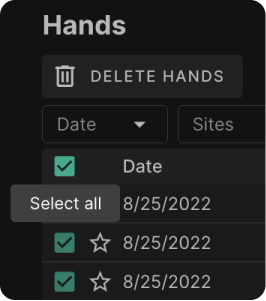
to mark which hands you’d like to delete, then press the delete button.You can select all hands using the uppermost checkbox
.
Expand/contract row spacing
[vc_single_image image=”1255″ img_size=”full” alignment=”center” style=”vc_box_rounded” onclick=”link_image”]Select the letter (S/M/L) in the top-right corner of the table. It will change from (S)mall (M)edium (L)arge. This changes the spacing between rows to make data easier to view.
Columns
The columns above the Hand History table can be used to sort your hands by any numerical value. You can sort by date, EV loss, BB W/L or pot. [vc_single_image image=”1260″ img_size=”full” alignment=”center” style=”vc_box_rounded” onclick=”link_image”]
We recommend sorting the table by EV loss in order to find your leaks and maximize your study time!
Hand history toolbar
Select any hand within the table to open the hand history toolbar. This toolbar is used for quickly and seamlessly reviewing your hands.
Scroll through hands

Navigate left/right using the arrows.
Replay a hand

Replay a hand using the built-in Replayer.
Large/Compact mode

Switch between large and compact mode. Large mode allows you to see more detail about the optimal play on various streets within the hand; as demonstrated in this gif.
Jump to Solution browser

Jump to the Solution browser for any spot.
Take a picture

Download a photo of the hand to share with friends.
[vc_single_image image=”1262″ img_size=”full”]
Bet Sizing Discrepancies
The Analyzer works by comparing your hand history to a presolved solution from preflop to turn. The river is calculated using the exact board state (stacks/sizes/etc).
Bet sizes are matched to the closest available size within the solutions. However, discrepancies can still occur. These are shown in parentheses next to your actual bet size. [vc_message message_box_style=”solid-icon” message_box_color=”success” icon_type=”typicons” icon_typicons=”typcn typcn-arrow-forward”]
For example in this spot, CO actually opened 2.5BB, but the solution uses 2.3BB.
[/vc_message] [vc_single_image image=”1257″ img_size=”full” style=”vc_box_rounded”] You can change the solutions used to analyze your hands in the settings menu under Analyzer.For example, if you normally open 2.5x from early position, you can change the solution to General 2.5x. [vc_single_image image=”1258″ img_size=”full” alignment=”center” style=”vc_box_rounded” onclick=”link_image”]
EV Losses
[vc_single_image image=”1259″ img_size=”full” style=”vc_box_rounded”] EV loss is shown in the strategy table, but you can see more information about it using the toolbar in “large mode” The mistake below is coloured red 🔴 to indicate a blunder. Inaccuracies are colored yellow 🟡, and correct moves are green 🟢.
[vc_message message_box_style=”solid-icon” message_box_color=”success” icon_type=”typicons” icon_typicons=”typcn typcn-arrow-back”]
In this situation, SB should have bet the turn. Instead, they checked, losing 0.44BB. (44 BB/100 error)
[/vc_message]
Hand History Replayer
Dive into the action with the built-in Hand History Replayer. Simply select this
icon within the toolbar to open the Replayer. This feature looks similar to our Practice modes; showing you the correct frequencies and EV’s at every node.
Select any street or use the left/right arrows to navigate, as shown in the gif below: [vc_single_image image=”1264″ img_size=”full” alignment=”center” style=”vc_box_rounded” onclick=”link_image”]
Replayer hotkeys
[vc_single_image image=”1256″ img_size=”full” alignment=”center” style=”vc_box_rounded”]
How do I get the most out of studying with this tool?
Learn how to get the most out of the Analyzer with these Study tips.
How to Upload Your Hand Histories
Where to Get Your Hand Histories
How to Study Analyzed Hands
So now that you know the mechanics of the Hand History Analyzer, how do you go about studying? This article will teach you a few tips and tricks to get the most out of the Analyzer.