How to Upload Your Hand Histories

Overview
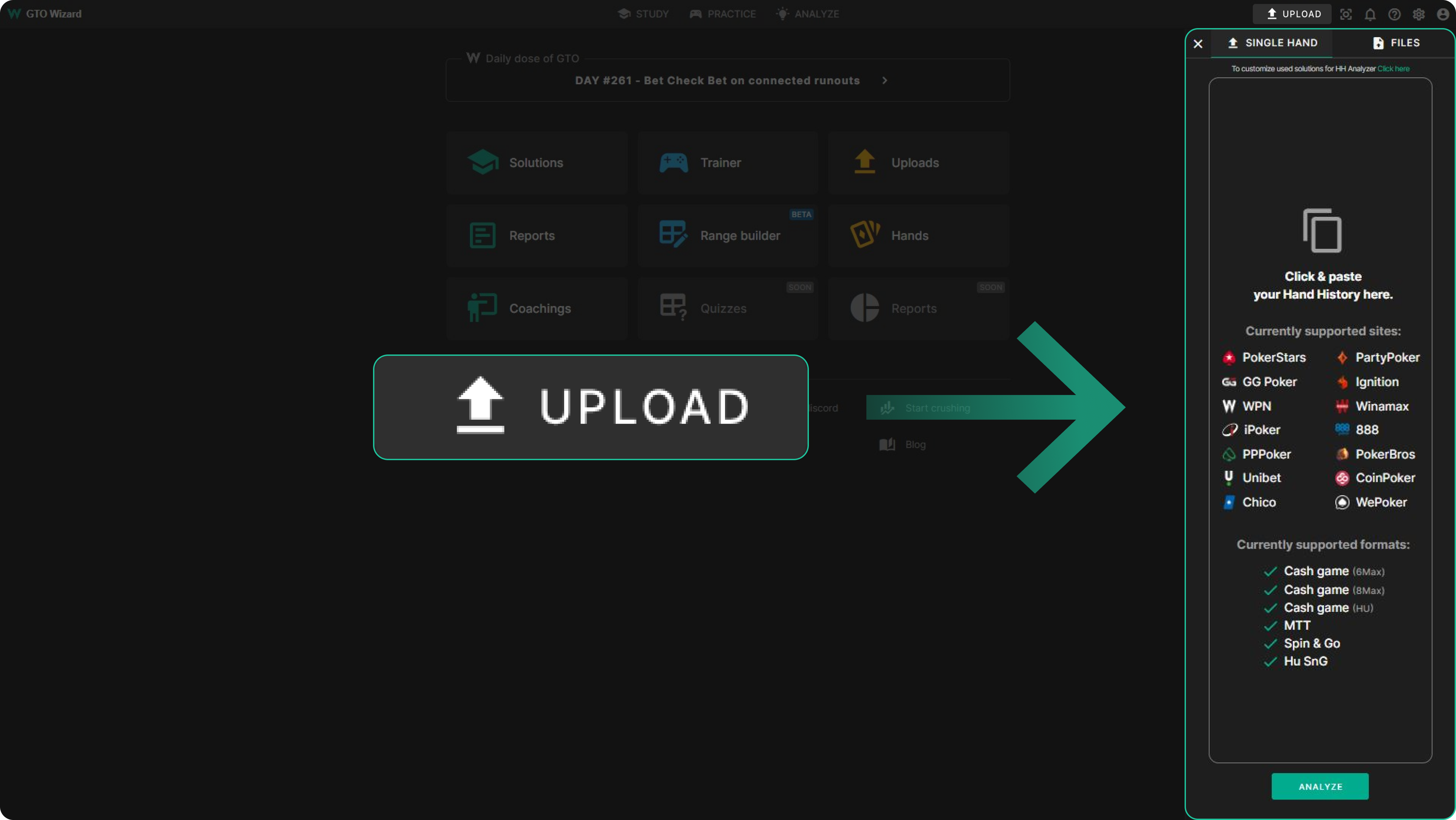
This guide will explain, in detail, how to upload your hand histories.
How to Upload Hands
Select the “Upload” button, located in the top-right corner of GTO Wizard.
Select Solution
We compare your hand histories to the closest format and stack depth available within our solutions in order to improve your play!
You can specify what solutions to use in the settings menu, under the Analyzer tab.

Upload a Single Hand
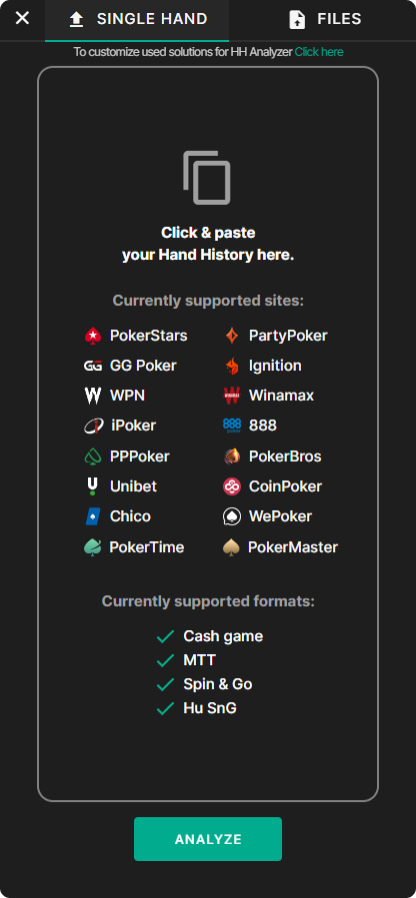
- Select the “Upload” button, located in the top-right corner of GTO Wizard
- Select the “Single Hand” tab
- Paste hand history (right-click and paste)
Where to find your history? - Click on the "ANALYZE" button
Upload a File/Folder
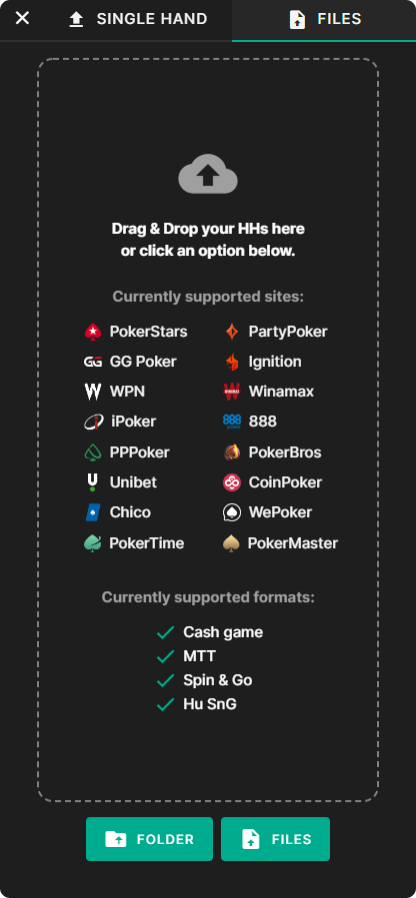
You can upload entire sessions or even databases of hand histories!
Select the Files Tab, then drag and drop your files into the Analyzer. Alternatively, select the “Folder” or “Files” button at the bottom of this dialogue box.
{{width: 50%}}
{{/width}}
I Uploaded My Hands, Now What?
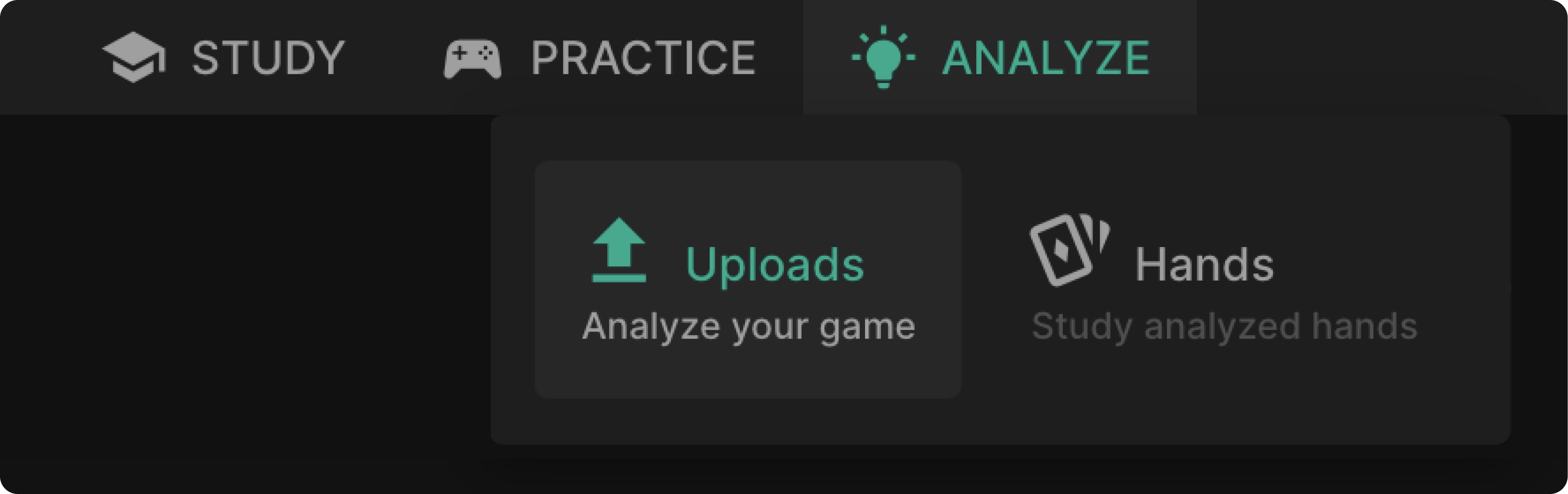
Enter the “Uploads” page using the “ANALYZE” dropdown menu at the top of the page.
{{width: 75%}}
{{/width}}
Your analyzed hands will show up here. Select any one of these rows to expand the summary. This page shows you information about your sessions, such as total accuracy and EV loss.
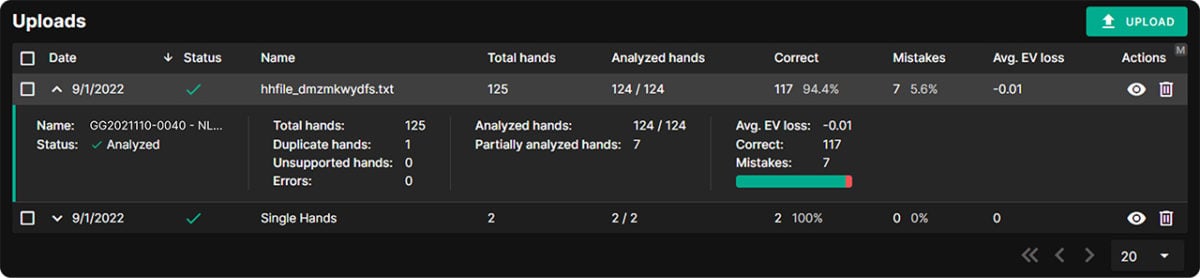
The checkmark icon under “Status” indicates they are done solving and ready to analyze!
What Do These Statuses Mean?
{{grid: 1fr 11fr}}

Uploading
Your hands are uploading to the server.
{{/grid}}
{{grid: 1fr 11fr}}

In Queue
The servers are occupied analyzing other Wizards’ hands, yours are waiting in the queue. This status occurs during traffic spikes. We are working hard to minimize delays and improve our servers.
{{/grid}}
{{grid: 1fr 11fr}}

Processing
Your hands are currently being analyzed.
{{/grid}}
{{grid: 1fr 11fr}}

Analyzed
Your hands have been analyzed and are ready to view!
{{/grid}}
{{grid: 1fr 11fr}}

Errors
Something failed. Please ensure your hand history file is correct.
{{/grid}}
{{info-mark}}
Please note – You don’t have to wait for your hands to finish analyzing. You can exit the analyze page and come back later. This won’t affect how quickly the hands are analyzed.
{{/info-mark}}
Duplicate Hands, Unsupported Hands, Errors
- Total hands – The number of hands in your file.
- Duplicate hands – These hands exist twice in your file.
- Unsupported hands – Some hands aren’t supported, such as multiway, or different formats.
- Errors – Something failed. These hands were either unreadable or ran into a bug. Contact support on our Discord server.
Proceed To Analyze Your Hands
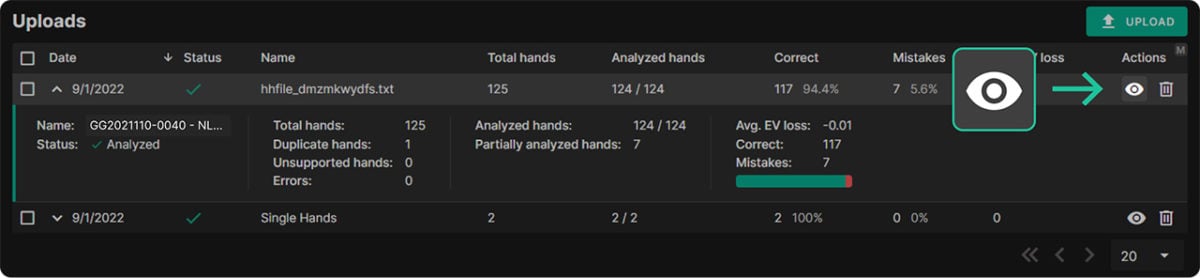
Now it’s time for the fun part. Select the HANDS menu to view all your analyzed hand histories!
Alternatively, select the view icon on one of your uploaded sessions to view hands from just that batch.
Supported Sites
We currently support hand histories from the following poker sites:
{{grid: 1fr 11fr}}

888
{{/grid}}
{{grid: 1fr 11fr}}

Chico
{{/grid}}
{{grid: 1fr 14fr}}

CoinPoker
{{/grid}}
{{grid: 1fr 11fr}}

GG Poker
{{/grid}}
{{grid: 1fr 11fr}}

Ignition
{{/grid}}
{{grid: 1fr 11fr}}

iPoker
{{/grid}}
{{grid: 1fr 11fr}}

PartyPoker
{{/grid}}
{{grid: 1fr 11fr}}

{{/grid}}
{{grid: 1fr 14fr}}

PokerMaster
{{/grid}}
{{grid: 1fr 11fr}}

PokerStars
{{/grid}}
{{grid: 1fr 14fr}}

PokerTime
{{/grid}}
{{grid: 1fr 11fr}}

PPPoker
{{/grid}}
{{grid: 1fr 11fr}}

Unibet
{{/grid}}
{{grid: 1fr 11fr}}

WePoker
{{/grid}}
{{grid: 1fr 11fr}}

Winamax
{{/grid}}
{{grid: 1fr 11fr}}

WPN (America’s Card Room)
{{/grid}}
If your site isn’t on here, it may be possible to export readable hand histories using a tracker/HUD.
See how to get your hand histories.
How Many Hands Can I Upload?
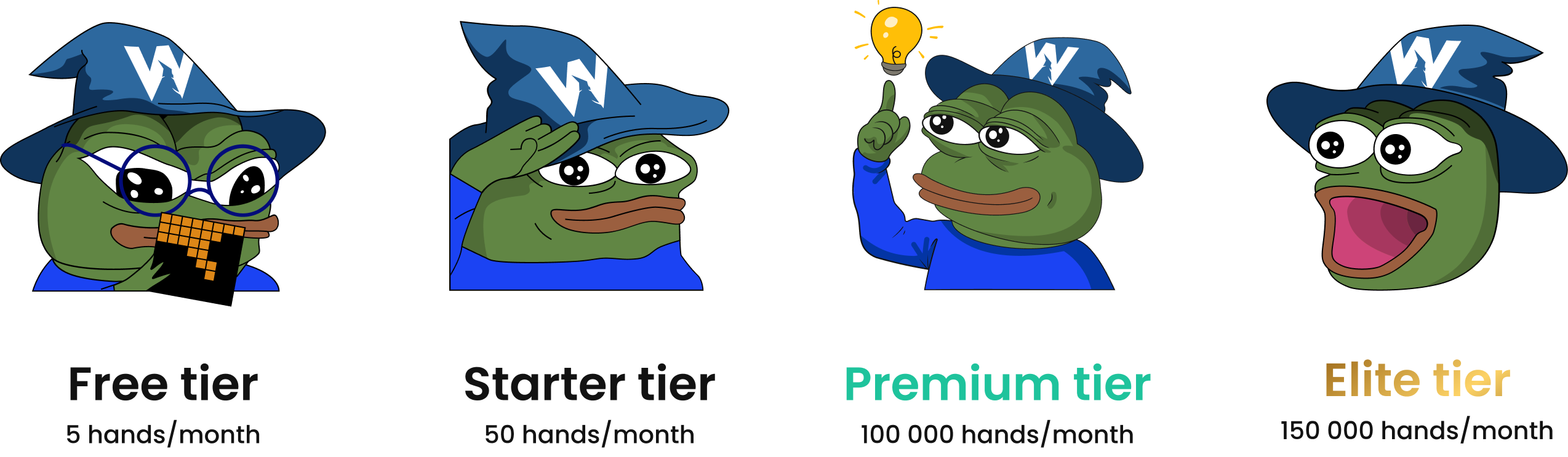
Hands quota refreshes every month.

How Does It Work?
- Preflop through turn – Your play will be compared to our pre-solved solutions on preflop through turn streets. The Analyzer will automatically pick the closest stack depth and bet sizes.
- River – Rivers are calculated manually with the actual stack depth and bet sizes used in the hand, using ranges from the presolved solution. This can result in discrepancies between the analyzed results and the Solution browser strategy for river spots.
The Analyzer will ignore certain hands for which we don’t have solutions – such as multiway postflop spots. Some hands have partial solutions, such as hands where you take an action that’s never played in the GTO Strategy.
Once your hands are analyzed, you can quickly sort through a table of hand histories to find your biggest leaks! We recommend sorting by the highest-EV loss to quickly identify blunders.
Where Do I Find My Hand Histories?
You can download hand histories from most poker sites and poker trackers. Check out THIS GUIDE to learn more.
Where to Get Your Hand Histories
How to Study Analyzed Hands
So now that you know the mechanics of the Hand History Analyzer, how do you go about studying? This article will teach you a few tips and tricks to get the most out of the Analyzer.
Analyzed Hands
GTO Wizard makes it easy to review your play with our Hand History Analyzer. Analyzed Hands.